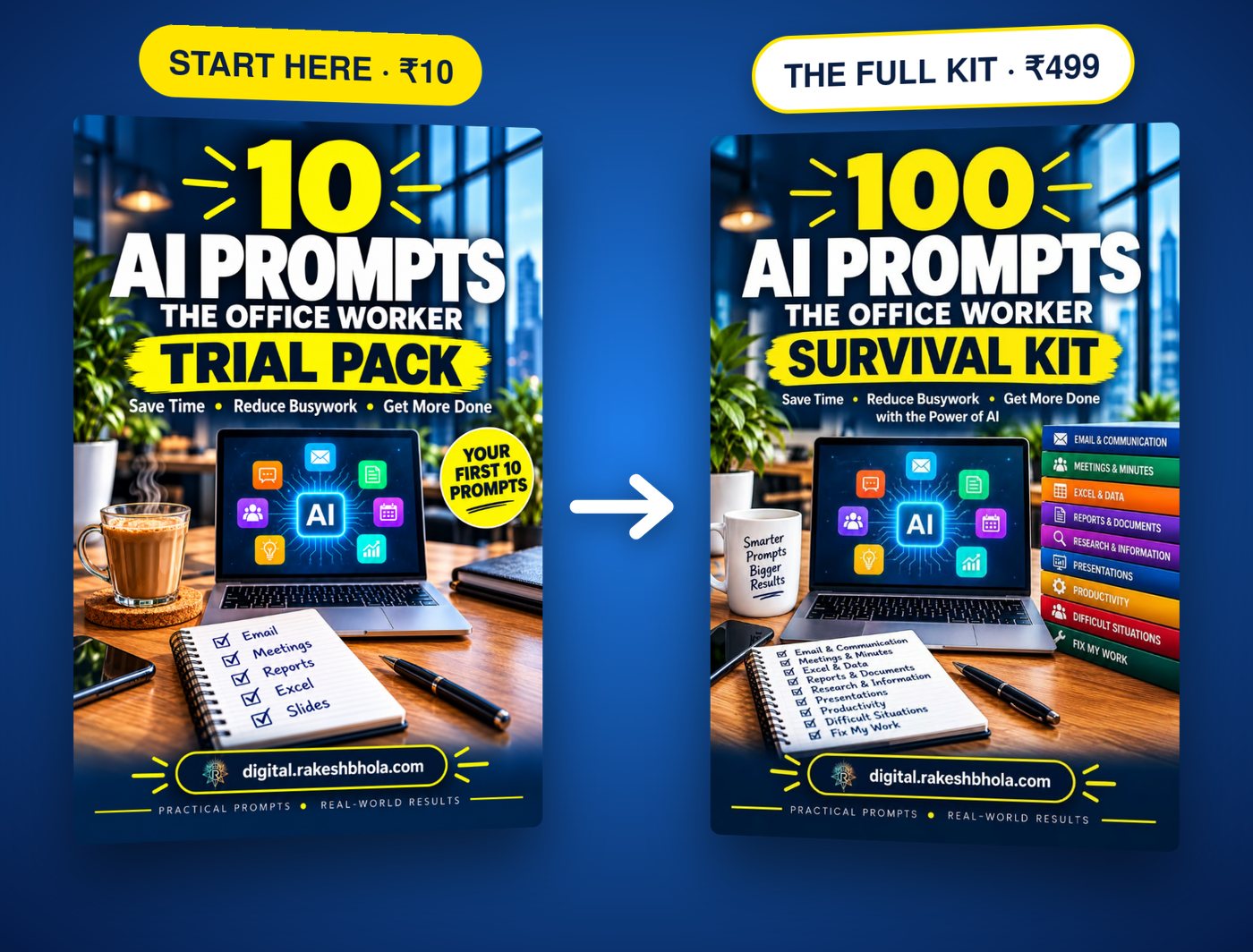
Start here with the 10 AI Prompts Trial Pack for ₹10, then the full 100 Prompt AI Office Worker Survival Kit for ₹499
The Survival Kit Series · Volume 1

AI feels confusing?
Start with 10 prompts.
Just ₹10.

Less than a cup of chai. Get 10 office-ready prompts for emails, reports, Excel, decks and meeting notes — then use them on real work this week. Want all 100? The complete kit is ₹499 on this page.

Less than a cup of chai ☕ · Instant PDF · Pay by UPI
FREE SAMPLE · TRY IT NOW
📧 The follow-up email that actually gets a reply
Write a short, friendly follow-up email to [NAME] about [TOPIC] that I sent on [DATE]. They haven't replied. Make it easy to answer with one line: end with a single clear question. Don't sound annoyed. Under 80 words.
Paste it into free ChatGPT and see the difference in 10 seconds. Like it? Get 10 more like this for just ₹10 — less than a cup of chai.

PDF straight to your email · Works in ChatGPT, Claude, Copilot, Gemini · Secure payment via Razorpay

Try 10 Prompts for Just ₹10 · Then Decide

Pay just ₹10 (the price of a chai) and we'll email the 10 prompts straight to your inbox — use them for a week on your real work. If they save you time, the full 100-prompt kit is right below at ₹499.

Get 10 Office-Ready AI Prompts
Just ₹10. One-click secure payment. PDF delivered to your email after payment.
Pay ₹10 and Get the 10 Prompts Now

What happens after you pay: your 10-Prompt PDF lands in your inbox within a minute. Use the prompts on real work this week — and if they save you time, the full 100-prompt kit is ₹499 on this page. One payment, no subscription, no auto-renew.

Secure checkout via Razorpay · UPI, cards, NetBanking · The PDF is yours to keep even if you decide the full kit isn't for you.

This Kit Is For You If…

You spend 2+ hours a day on email, reports, meetings, or spreadsheets and you're tired of doing the same work the slow way.

You've opened ChatGPT once or twice, typed something vague, got a generic answer, and closed the tab thinking "this isn't for me."

You know AI is changing how work gets done, but you don't have time to read 30 articles about prompt engineering. You just want prompts that work.

You want to be the person in the office who finishes in 2 hours what takes everyone else 8 — without sounding like a robot in your emails or hiding AI use from your manager.

What's Inside the 100-Prompt Kit

Eight categories, twelve-plus prompts each. Every prompt is copy-paste ready, with the [brackets] marked so you know exactly what to fill in.

01 · 13 prompts

Email & Inbox

Reply, follow up, decline, request, escalate, rewrite — every email situation covered.

02 · 12 prompts

Reports & Documents

Weekly status, monthly review, project summary, board update — drafts in 10 minutes instead of 3 hours.

03 · 12 prompts

Meetings & Calls

Agenda, follow-up, summary, action items, decisions log — the meetings that actually need to happen.

04 · 13 prompts

Excel & Spreadsheets

Formulas from a description, messy data, dashboards, VLOOKUPs explained in plain English.

05 · 12 prompts

Presentations & Slides

Outline, slide content, speaker notes, executive summary, Q&A prep.

06 · 13 prompts

Planning & Productivity

Monday priority list, weekly review, project plan, decision matrix, time audit.

07 · 12 prompts

HR, Career & Performance

Self-appraisal, feedback response, salary justification, leave request, growth plan.

08 · 13 prompts

Client & Stakeholder Comms

Reply to confused client, scope change, project update, escalation, renewal pitch.

Same Task. Same ChatGPT. Two Different Prompts.

See the difference a structured prompt makes — the prompt on the left is what most people type, the one on the right is what our kit gives you.

Without the kit

Task: Turn 3 weeks of project notes into a one-page executive summary.
summarise these project notes into a one page summary for leadership
→ Pastes a wall of paragraph text. No structure, no decisions surfaced, no risks flagged. Leadership asks for a "cleaner version" and you redo it.

With the kit

Same task — using prompt #21 from the Reports & Documents section.
Act as a senior management consultant. Turn the project notes I paste below into a one-page executive summary for a CXO audience. Strict structure, in this order: (1) Headline — one sentence: where the project stands today, in plain English. (2) Where we were 3 weeks ago — 2 bullets, plain text, no jargon. (3) What changed since — 3–4 bullets, each tied to a date and a number from the notes. (4) Risks & decisions needed — 2–3 bullets, each as a clear decision the CXO must make, not a problem description. (5) Next 30 days — 3 bullets with owners and dates. Rules: under 250 words total, every claim traceable to something in the notes (mark anything inferred with [Inferred]), no filler phrases like "as discussed" or "going forward". If the notes are missing a critical fact, flag it as "Needs input: [topic]".
→ One page, clear decisions surfaced, CXO can act on it the same day. You look like you hired a McKinsey deck team.

Without the kit

Task: Build a 10-slide deck for a Friday review meeting tomorrow.
make me a 10 slide ppt for the friday review meeting
→ Generic "Introduction / Agenda / Conclusion" filler. Doesn't reference your actual numbers or decisions. You rewrite half the slides yourself anyway.

With the kit

Same task — using prompt #54 from the Presentations & Slides section.
Act as a presentation coach who has built decks for McKinsey and Apple keynote teams. I'm presenting at the Friday review meeting (audience: 6 cross-functional directors, 30 minutes including Q&A). I need exactly 10 slides from the source material I paste below. For each slide, give me: (a) a one-line slide title phrased as the takeaway, not the topic ("Q3 revenue grew 22%" — not "Revenue update"), (b) the 3–5 bullet points on the slide (each ≤ 14 words, no full sentences, no filler words), (c) the data or chart I should put on it (specific chart type and what's on each axis), (d) speaker notes — what I should actually SAY about this slide in 30–45 seconds, phrased conversationally, including the one number or quote I must mention, (e) the one question the audience will ask on this slide, and the answer. Structure: slide 1 = title + the one headline number, slide 2 = agenda as 3 questions the deck will answer, slides 3–8 = content, slide 9 = decisions we need today, slide 10 = next steps with owners and dates. No "Thank you" slide, no "Questions?" slide. Skip any slide where the source has nothing real to say.
→ 10 slides, each one a real takeaway, speaker notes that actually sound like you, anticipated Q&A handled. Deck done in 25 minutes instead of 4 hours.

Both are 30-second pastes. One wastes your time, the other saves 90 minutes — every time.

The 100 Prompt AI Office Worker Survival Kit

Complete Kit · Instant PDF

Total value: ₹1,500
₹499
One-time payment · Instant access · 7-day guarantee
  • 100 copy-paste prompts across 8 categories
  • Instant PDF download — opens on any phone or computer
  • 5 Rules of Better Prompts framework
  • Model-specific tips (ChatGPT, Claude, Copilot, Gemini)
  • Advanced workflows & troubleshooting
  • Optional ₹99 bump: 5 Bonus Power Prompts
  • 7-day money-back guarantee
Get Instant Access — ₹499

🔒 Secure checkout via Razorpay · UPI, cards, NetBanking · No subscription

✓

Our Refund Promise — Built on Trust, Not Trickery

If you started with the ₹10 trial pack, you have already used 10 of these prompts on real work. If you came straight to the full kit, the 10-prompt pack is still ₹10 on this page — and any PDF you download stays yours either way.

So our refund policy is simple: if the kit doesn't deliver value, email us within 7 days of purchase and we refund in full to the original payment method within 5–7 business days. No questions, no forms, no conditions.

Refund terms: any PDFs you already downloaded stay yours either way. If you have a minute, tell us which prompt did not work for you so we can improve the kit for the next reader — but that is optional and never required for a refund.

Common Questions

Which AI tool should I use with this?

Any of them. The prompts are written to work in ChatGPT, Claude, Microsoft Copilot and Gemini. Free versions work for most prompts. Chapter 3 in the book explains when to use which.

I'm a beginner with AI. Will this be too advanced?

No. The first 3 chapters are foundations: how to use the book, the 5 rules of better prompts, and how to pick a model. If you can write an email, you can use this kit.

Is this a subscription or one-time payment?

One-time. ₹499 once. The PDF is yours forever. No recurring charges.

What formats do I get?

One PDF. It opens on any phone, tablet or computer, and you can search it by keyword to find the prompt you need in seconds.

Is there a bigger library with more prompts?

Yes. The 500 Prompt Master Library is a much bigger PDF library, offered as an optional add-on after you buy the kit. The kit itself is licensed for your personal use.

Is the ₹99 bump worth it?

The 5 Bonus Power Prompts are for advanced situations not in the main 100 — hard conversations, negotiation prep, performance review self-defence. If you use AI daily, you'll use these within a week.

Be the Person in the Office Who Finishes in 2 Hours
What Takes Everyone Else 8.

100 prompts. One instant PDF. One ₹499 payment. The complete system for AI-augmented office work.

Not sure yet? Start with 10 prompts for ₹10.

— or —
Get the 100-Prompt Kit — ₹499

7-day money-back guarantee · Instant access · Secure Razorpay checkout

₹10Try 10 prompts · instant PDF
Get 10 Prompts ₹10